 Zìzì
Back to Zìzì
Get the app
Add Zìzì to your home screen and it works like an app: its own icon, full screen, and it opens even without a connection. No app store and nothing to pay; your account and everything you saved come with you.
You're using the app already. Nothing else to do.
Android
Your browser can install Zìzì straight away:
In Chrome, open zizireader.com, then:
- Tap the menu ⋮ at the top right.
- Tap Install app (on some phones: Add to Home screen, then Install).
Samsung Internet: menu ≡ → Add page to → Home screen. Firefox: menu ⋮ → Add to Home screen.
iPhone & iPad
Open zizireader.com in your browser, then:
-
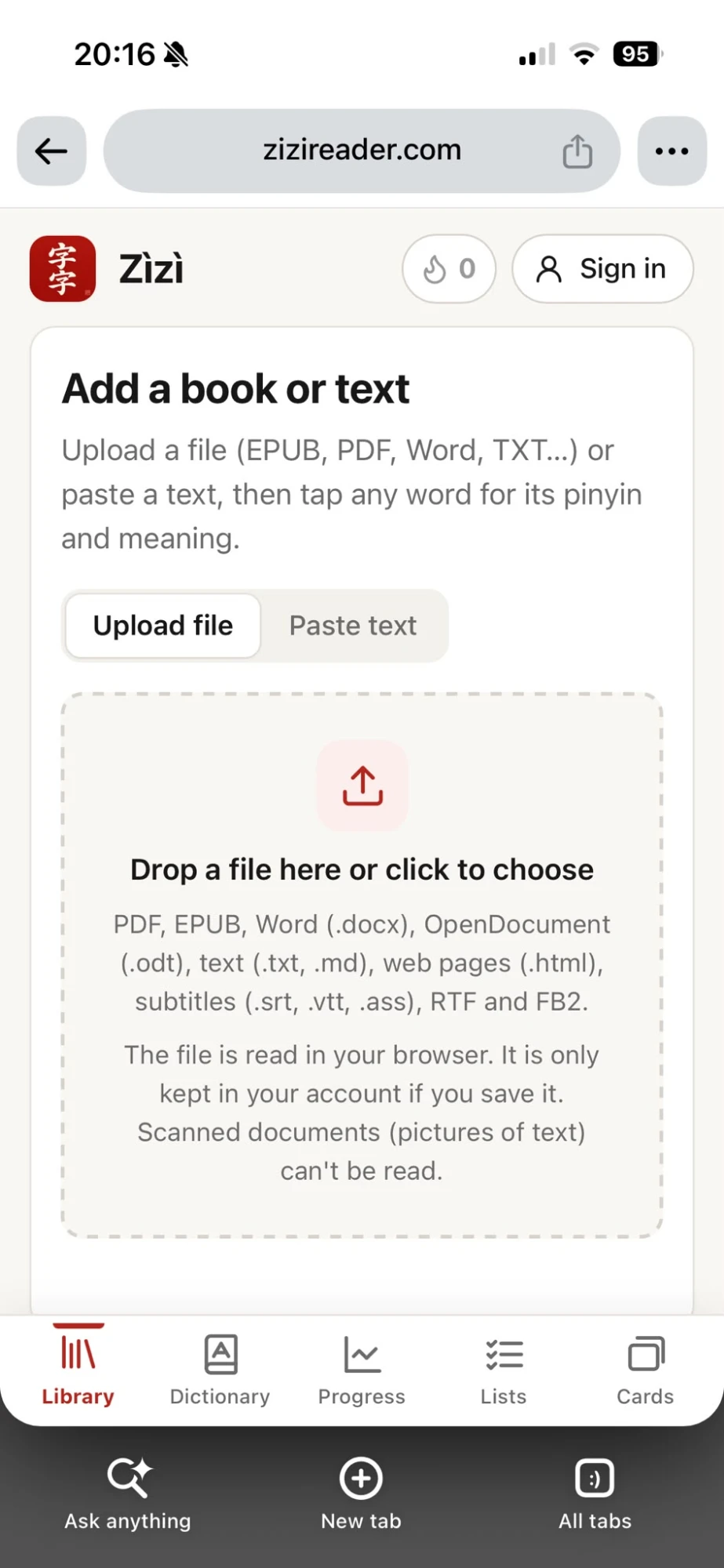
1. Tap the Share button next to the address.
-
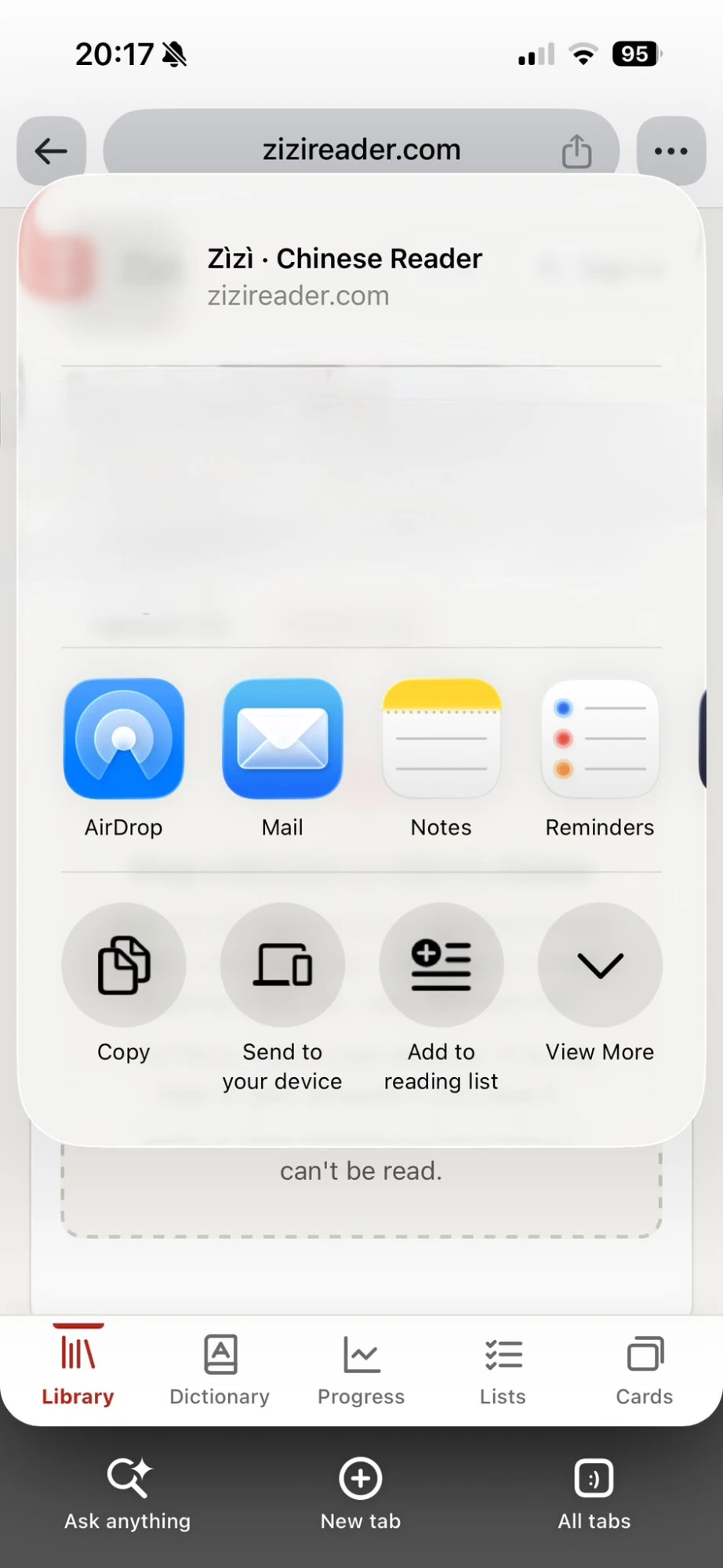
2. Tap View More.
-
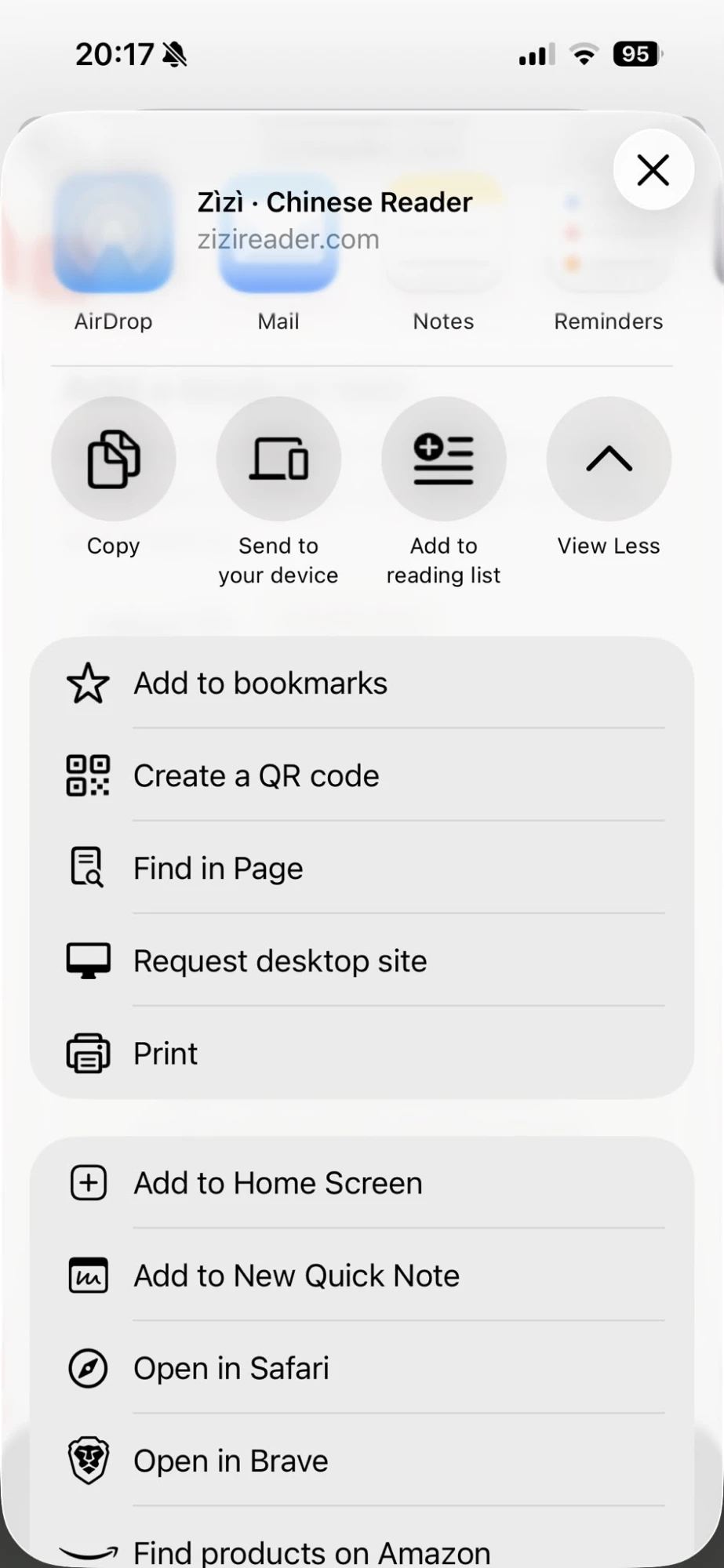
3. Tap Add to Home Screen, then Add.
In Safari the Share button is at the bottom of the screen (at the top on iPad); then scroll down the menu to Add to Home Screen.